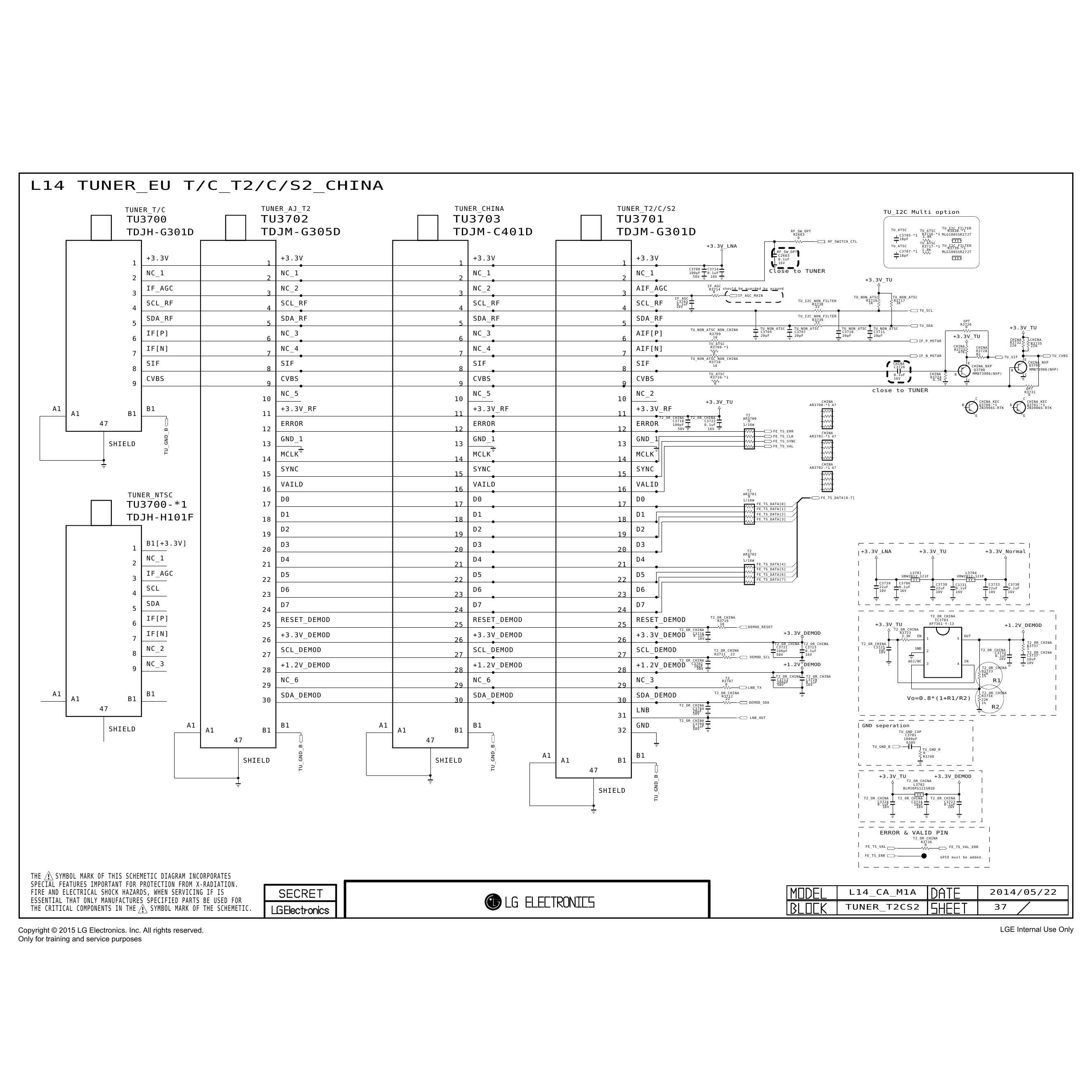
LG 32LF560T-Z

- руководство по ремонту (сервис-мануал)

LG 32LF560T-Z


Сервис мануал для LG 32LF560T-Z

Размер файла: (5.49 mb)
Производитель: LG
Просмотров: 20
📸

Первые 12 страниц

Извлечено автоматически
СТРАНИЦА PDF
Страница 1
Internal Use Only
North/Latin America http://aic.lgservice.com
Europe/Africa http://eic.lgservice.com
Asi...
Перейти на страницу
СТРАНИЦА PDF
Страница 2
CONTENTS


CONTENTS ............................................................................................... 2

SAFETY PRECAUTIONS ......................................................................... 3

...
Перейти на страницу
СТРАНИЦА PDF
Страница 3
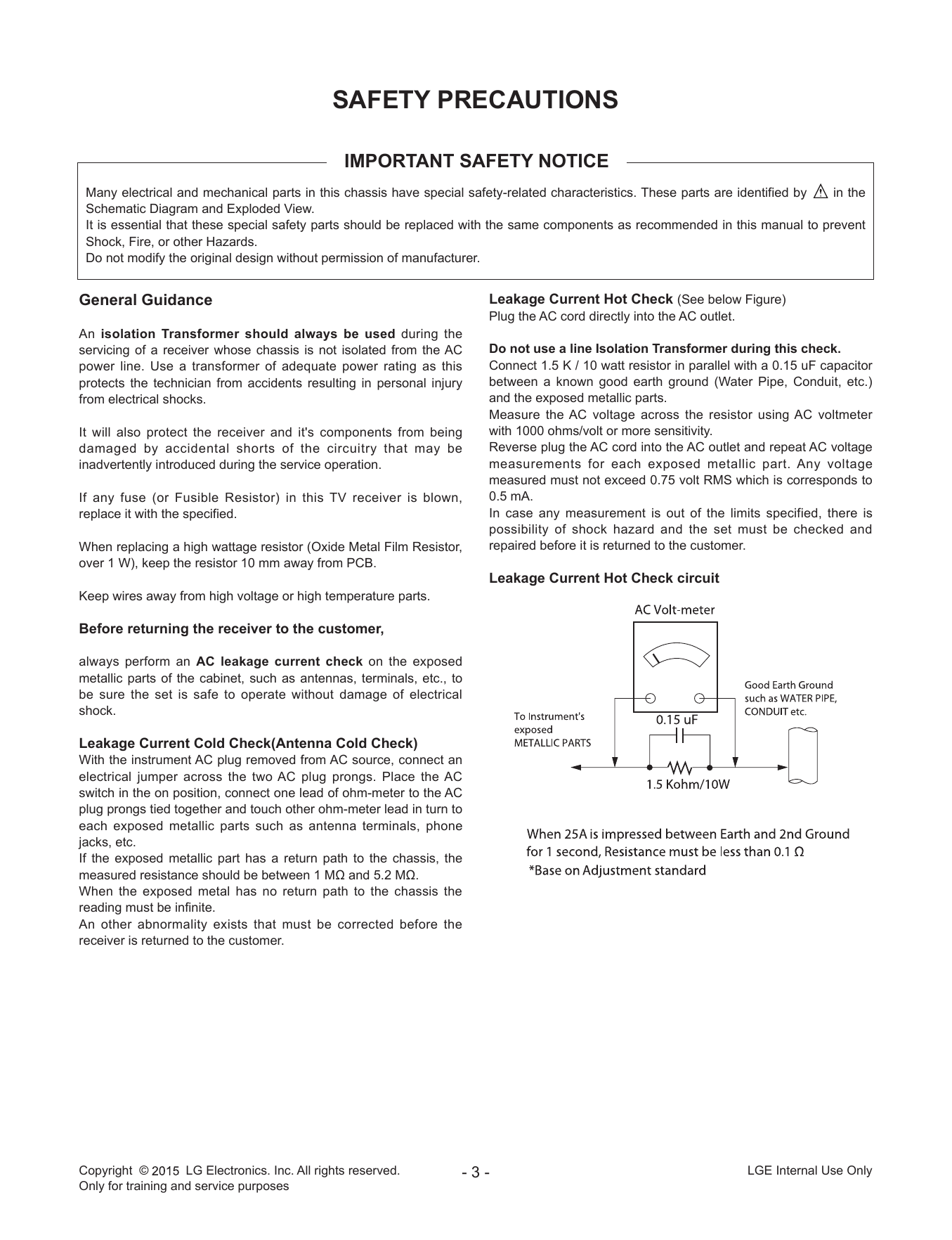
SAFETY PRECAUTIONS

IMPORTANT SAFETY NOTICE
Many electrical and mechanical parts in this chassis have special safety-related characteristics. These parts are identified by in the
Schematic Diagram a...
Перейти на страницу
СТРАНИЦА PDF
Страница 4
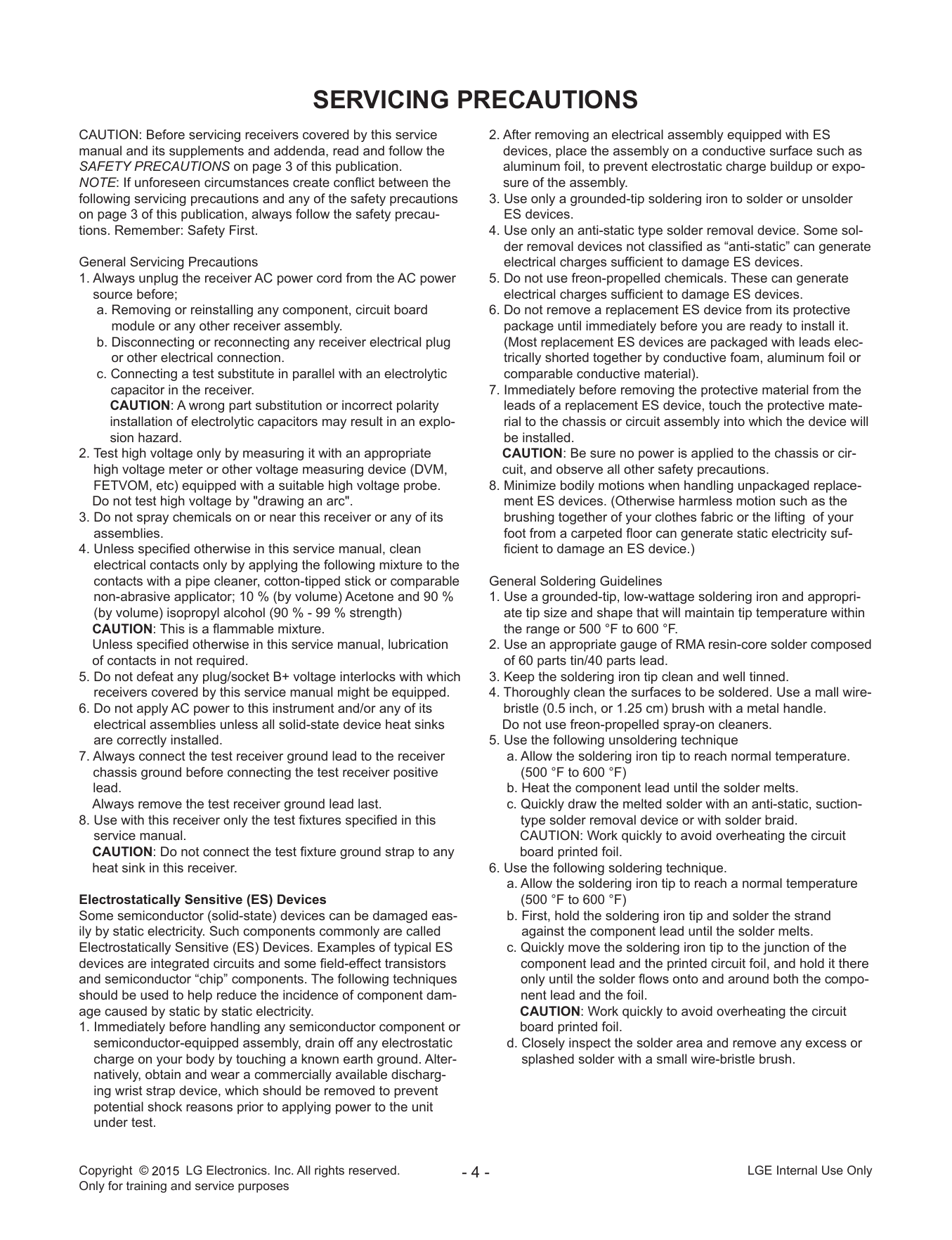
SERVICING PRECAUTIONS
CAUTION: Before servicing receivers covered by this service 2. After removing an electrical assembly equipped with ES
manual and its supplements and addenda, read and follow the devices, place ...
Перейти на страницу
СТРАНИЦА PDF
Страница 5
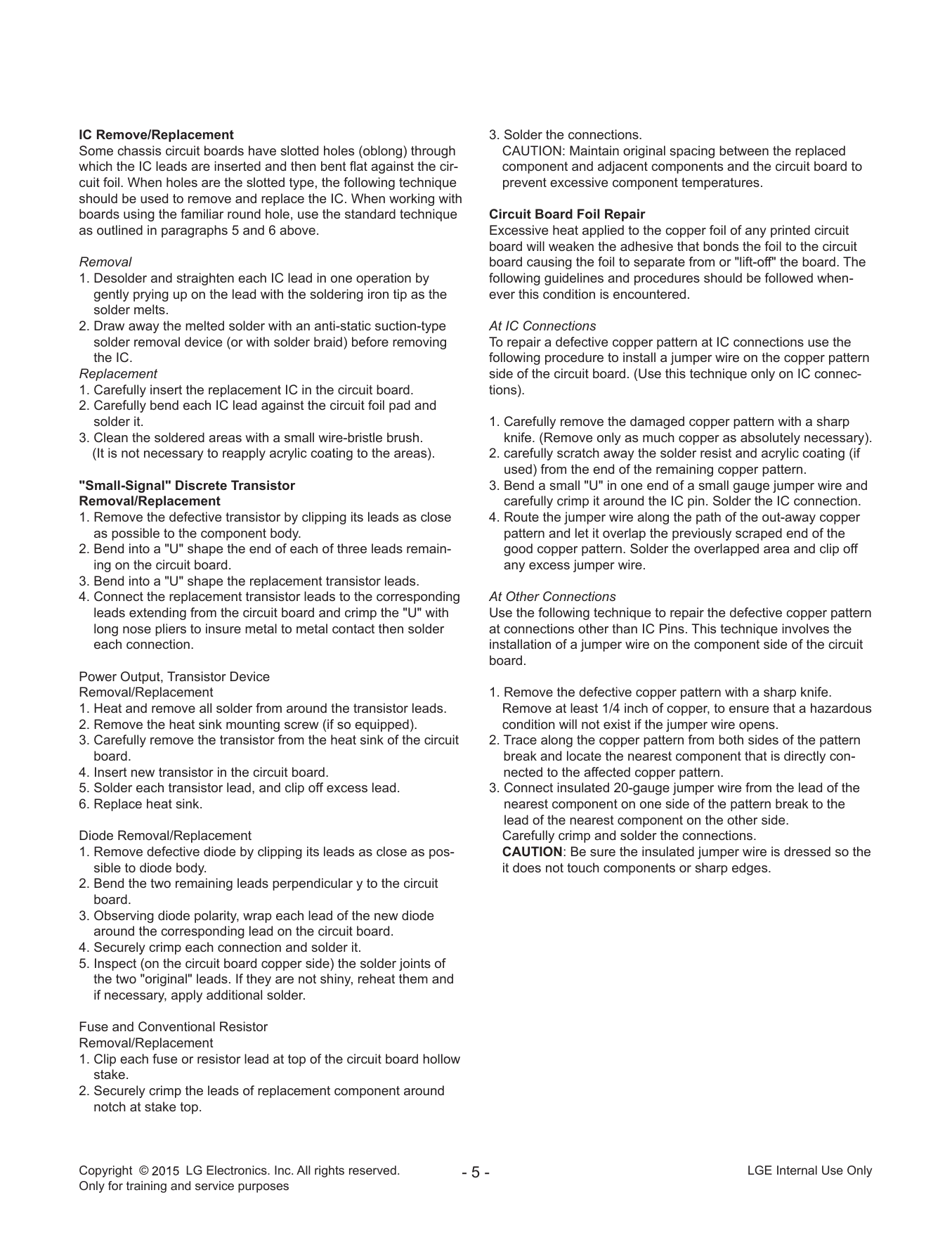
IC Remove/Replacement 3. Solder the connections.
Some chassis circuit boards have slotted holes (oblong) through CAUTION: Maintain original spacing between the replaced
which the IC l...
Перейти на страницу
СТРАНИЦА PDF
Страница 6
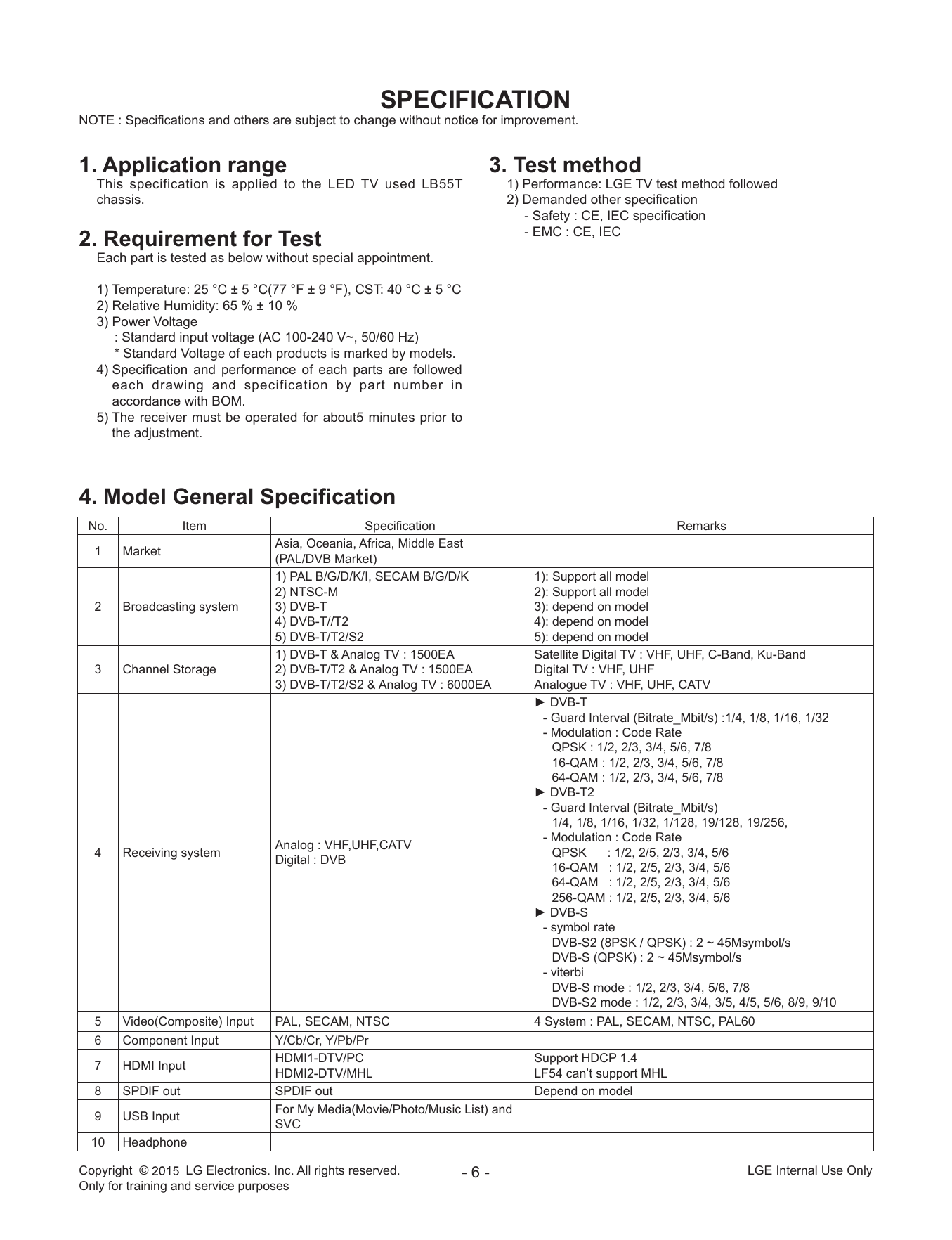
SPECIFICATION
NOTE : Specifications and others are subject to change without notice for improvement.


1. Application range 3. Test method
This specification is applied to the LED TV used LB55T ...
Перейти на страницу
СТРАНИЦА PDF
Страница 7
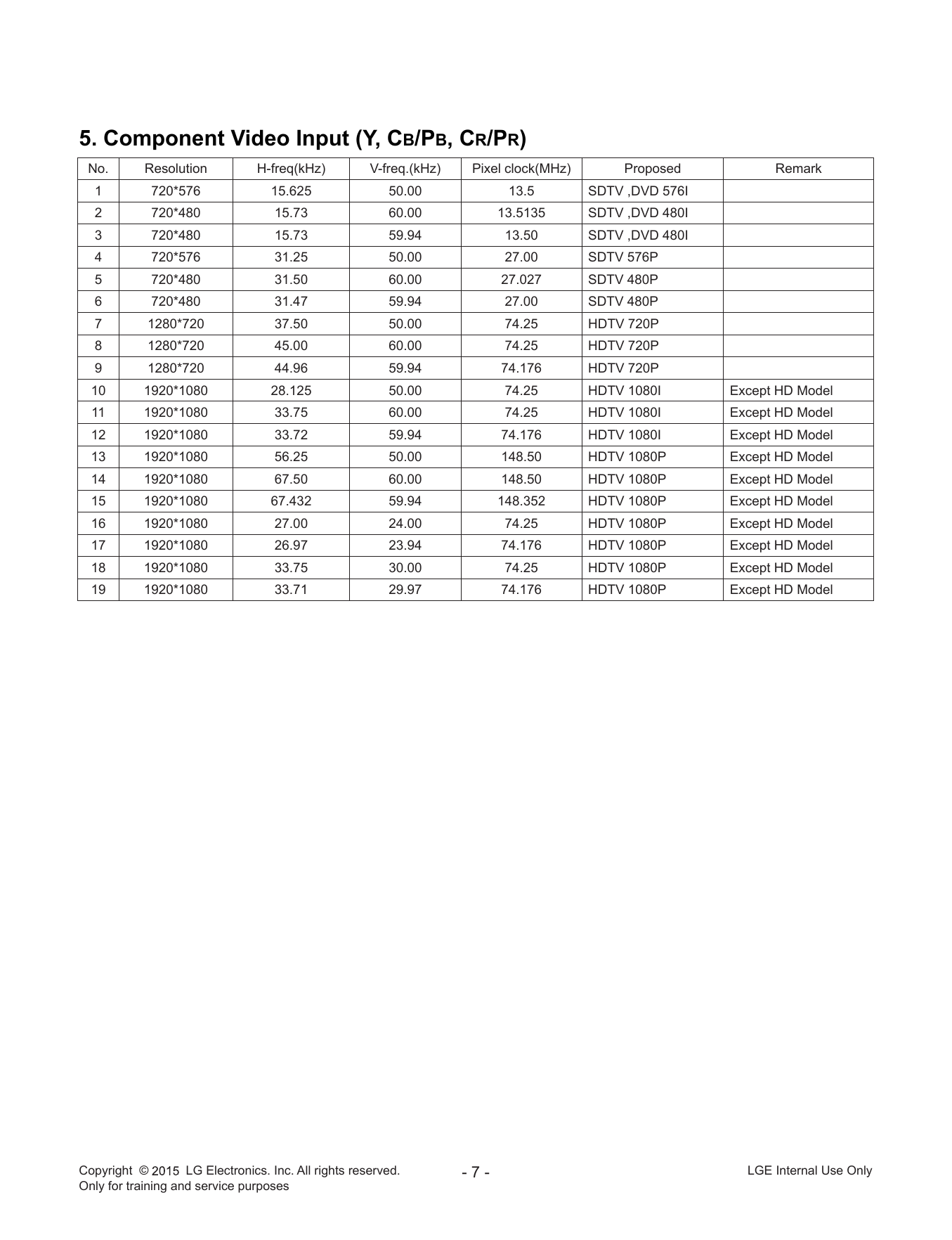
5. Component Video Input (Y, Cb/Pb, Cr/Pr)
No. Resolution H-freq(kHz) V-freq.(kHz) Pixel clock(MHz) Proposed Remark
1 720*576 15.625 50.00 13.5 ...
Перейти на страницу
СТРАНИЦА PDF
Страница 8
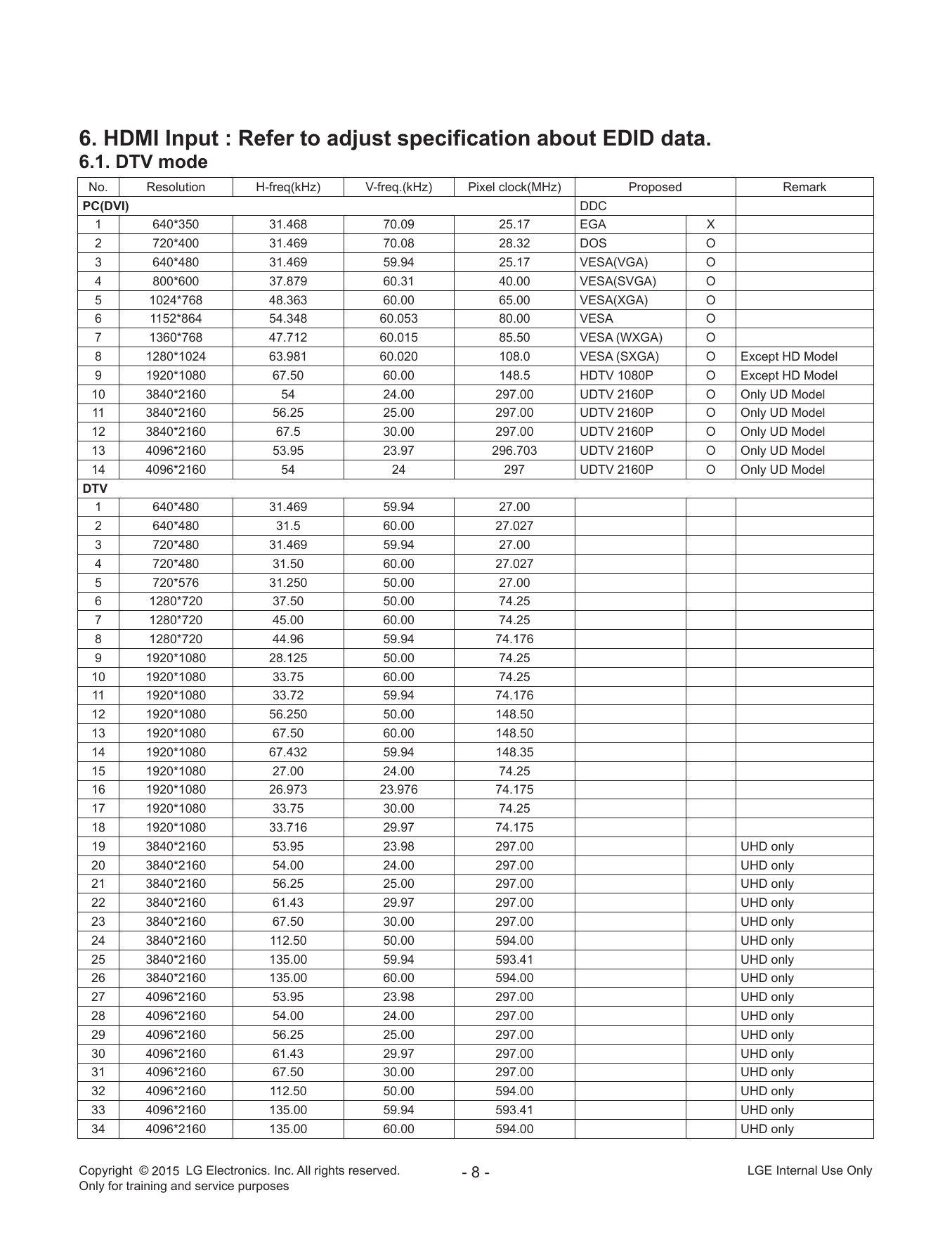
6. HDMI Input : Refer to adjust specification about EDID data.
6.1. DTV mode
No. Resolution H-freq(kHz) V-freq.(kHz) Pixel clock(MHz) Proposed Remark
PC(DVI) ...
Перейти на страницу
СТРАНИЦА PDF
Страница 9
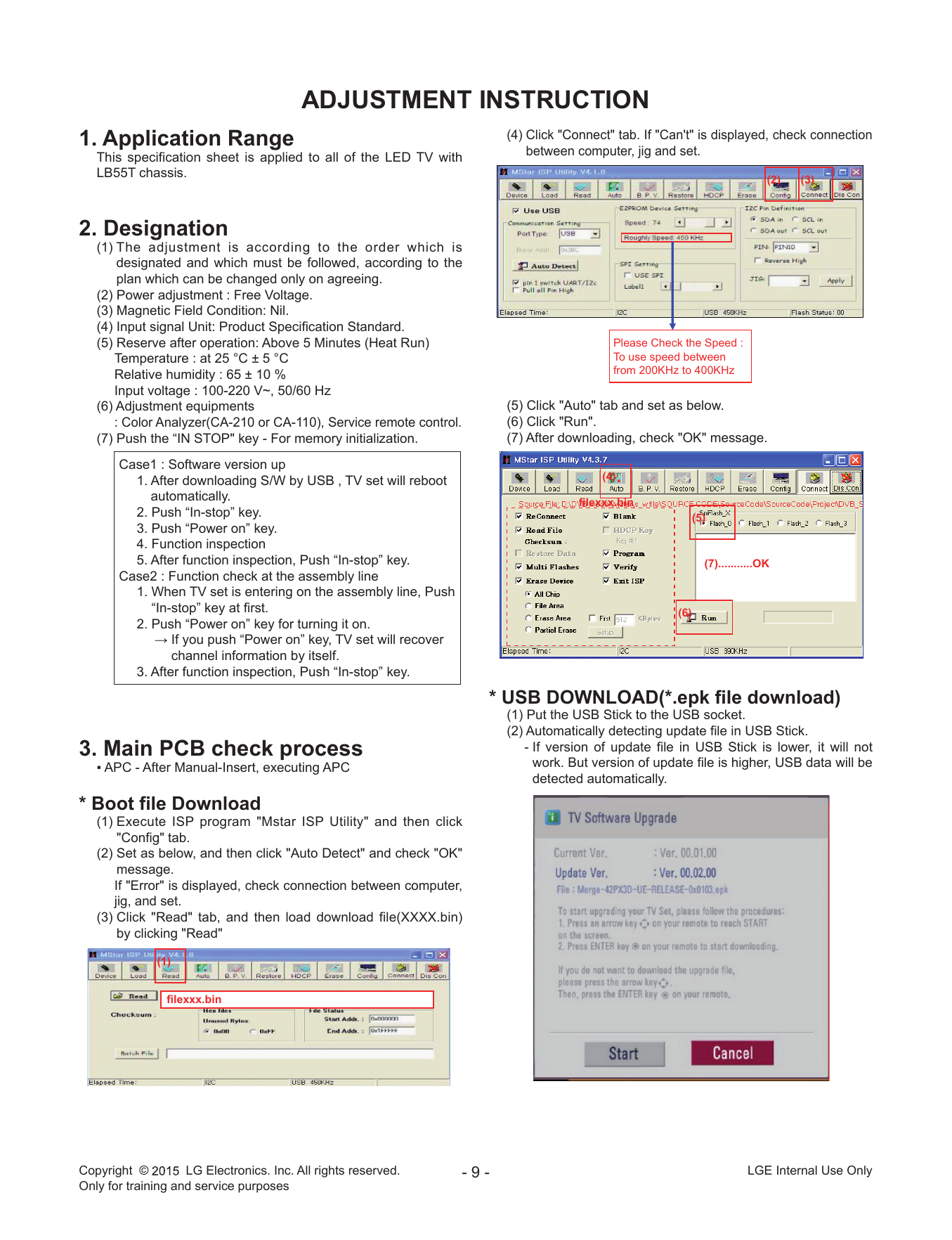
ADJUSTMENT INSTRUCTION
1. Application Range (4) Click "Connect" tab. If "Can't" is displayed, check connection
between co...
Перейти на страницу
СТРАНИЦА PDF
Страница 10
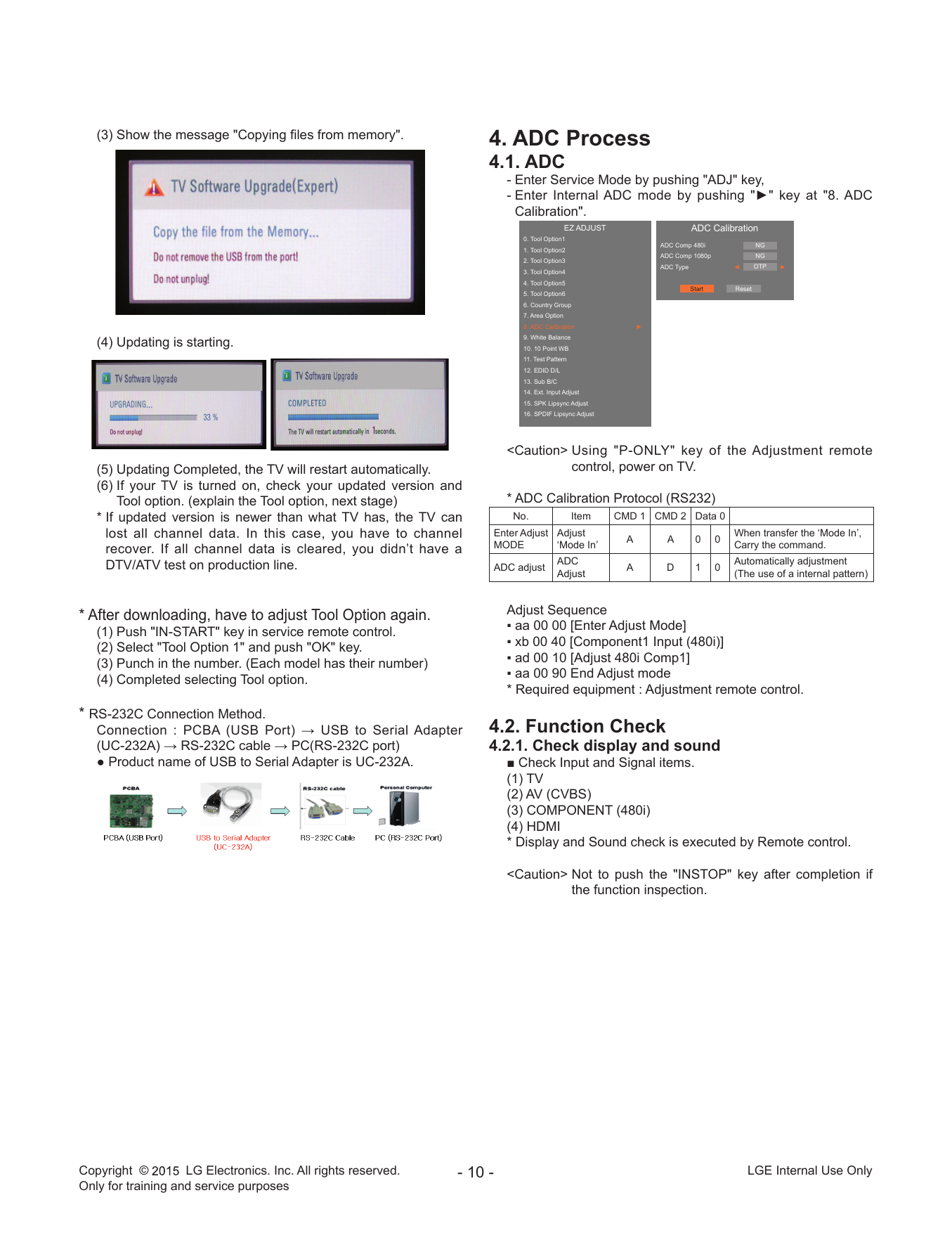
(3) Show the message "Copying files from memory". 4. ADC Process
4.1. ADC
- Enter Service Mo...
Перейти на страницу
СТРАНИЦА PDF
Страница 11
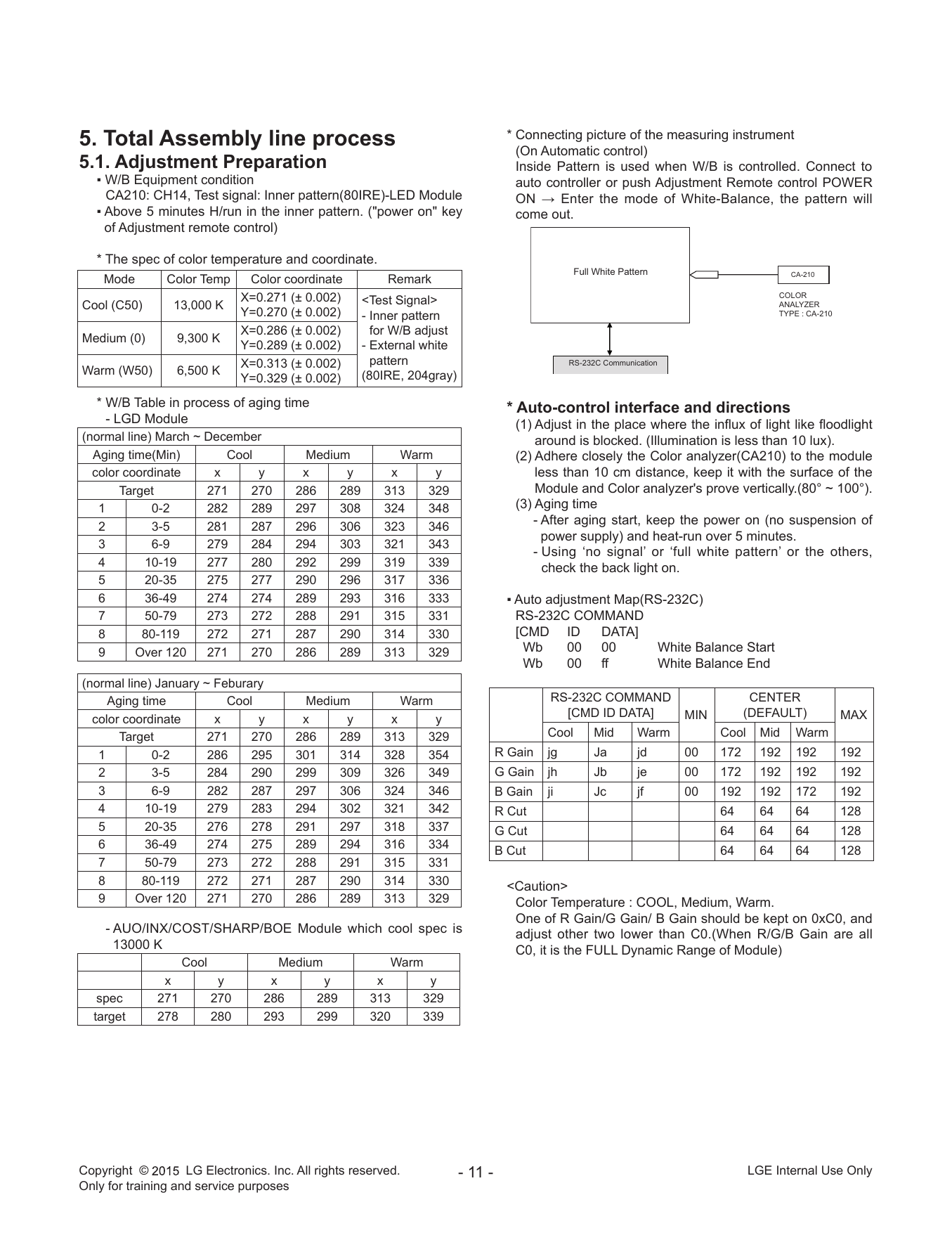
5. Total Assembly line process * Connecting picture of the measuring instrument
(On Automatic control)
5.1. Adj...
Перейти на страницу
СТРАНИЦА PDF
Страница 12
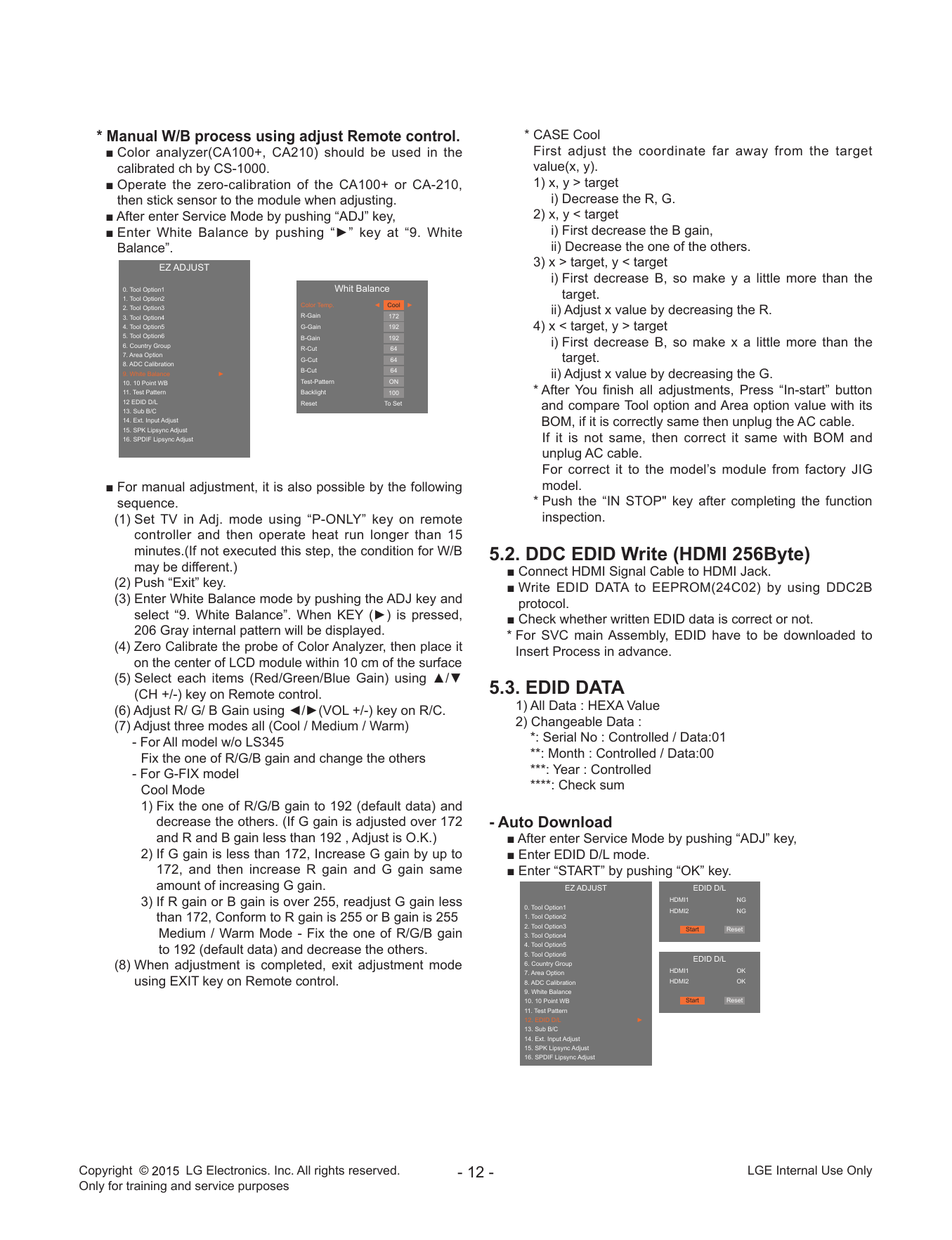
* Manual W/B process using adjust Remote control. * CASE Cool
■ Color analyzer(CA100+, CA210) should be used in the First adjust the coordinate far away from the target
...
Перейти на страницу

Другие инструкции и файлы